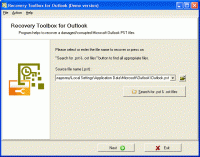
Repairs ost and pst files, created by Microsoft Outlook and saves the data into clean files of pst format that can be easily accessed by this email client. Try Outlook Recovery ToolBox if you?d like to convert ost files into pst documents
Outlook Recovery ToolBox is developed for the recovery of damaged files in ost and pst format that are not currently openable in your email client. Our developers do not help finding the root cause of data corruption problem, this activity requires the presence of good computer skills. Besides, the investigation takes time and the success is not guaranteed. We suggest another approach that may ensure better results in the domain of email security, get the setup file of Outlook Recovery ToolBox if you are really interested and double click this document when ready.
Forget about compatibility issues and system requirements. Unlike other software developers, our company adapts its software solutions for all supported hardware and Microsoft Windows software. The performance of your workstation plays an important role for the time of mailbox recovery, but the efficiency of data recovery engine cannot be improved by later hardware. So, feel free installing Outlook Recovery ToolBox on your workstation even if it is not good enough from your point of view. Now you may click the shortcut of mailbox recovery utility to start and select the source file of ost or pst format to be parsed by Outlook Recovery ToolBox.
The recovery of affected mailbox is performed automatically, all you need is patience. You can look at Outlook Recovery ToolBox during the procedure of mailbox recovery and wait for the end of parsing. In the same time, no need to waste your time for this purpose, the window may be closed and you can make another task. However, do not forget that the recovery of affected files requires the presence of all resources and it is not recommended that you load your workstation with other tasks.
After the end of analysis, users may preview how many emails were restored by Outlook Recovery ToolBox, it is enough to evaluate the utility for mailbox recovery. Your copy of Outlook Recovery ToolBox should be registered if you believe that it is good enough.
Requirements:Windows 98 and above.
Operating system:Windows 8, Windows 7, Windows Vista, Windows XP, Windows 2000, Windows 98
Limitations:Save 5 items per folder.
Release notes:Minor Update

ImTOO 3GP Video Converter v3.1 is a professional mobile phone tool. It supports converting
various popular formats including RM, RA, 3GP, 3G2, WAV, MP3, AAC, WMA, MPG, M4A, AVI,
MP4, MOV, WMV, MPEG, CUE, APE, CDA and AVI to 3GP,RA, RM,AAC, M4A,XviD.
Price: $25.46, Rating: 8.2, Downloads: 107
Download

Total Audio Converter is the best tool to convert mp3, wav, flac, ogg, ape and much more. Look closer at it: TAC supports all audio formats, has built-in CD ripper and audio player, can be handled via command line and is still very user-friendly.
Price: $17.91, Rating: 6, Downloads: 100
Download

Reezaa WMA Converter is an easy-to-use all to WMA converter Converts all formats Video and Audio to WMA,WAV,MP3,OGG,FLAC,AMR,AC3,AAC.It supports MP3, AVI, WMV, MOV, 3GP, MP4, FLV, RM, RMVB, VOB, DAT, MPEG, WAV, WMA, ASF, OGG, RA etc.
Price: $29.95, Rating: 0, Downloads: 93
Download

Ultra QuickTime Converter is a powerful tool to help you convert QuickTime MOV, QT, MP4, M4V files to AVI, DivX, Xvid, MPEG1, MPEG2, WMV, VCD, SVCD, DVD, MP4, 3GP, FLV formats.
Price: $29.00, Rating: 10, Downloads: 73
Download

Jesterware DVD Audio Ripper is a powerful DVD Audio ripping program, which will take your DVD and convert the audio track into an audio formats of your choice.
Price: $24.99, Rating: 6, Downloads: 69
Download 
 Outlook Recovery ToolBox 2.2.16